Features
OMNITV is a media player for Windows 10 and 11 (64-bit). It plays the IPTV playlist you already have from your provider. OMNITV itself contains no channels, playlists or other content.
About OMNITV
Live TV shows your channels by category with a program guide and what's on now, channel numbers and favorites. With an Xtream Codes login you also get movies and series with details, seasons and episodes, Continue Watching and automatic playback of the next episode. The Home screen greets you and puts what you were watching and your favorite channels one click away.
Everyone who watches gets their own profile with their own favorites and history; a Guest profile lets visitors use their own playlist without it being stored. A parental PIN hides chosen categories.
OMNITV works entirely with the keyboard or a remote, has a Remote & D-Pad mode with large focus outlines, seven languages, your choice of accent color and three UI sizes. Your playlist logins are stored encrypted on your PC; OMNITV has no account, no telemetry and no tracking.
OMNITV Free includes Live TV with 3 channel starts in any 24 hours and one profile. OMNITV Premium adds movies, series, Continue Watching, more profiles, parental controls and unlimited Live TV. Premium can't be bought yet.
Live TV and program guide
Your channels, sorted the way your provider sorts them, with what's on now and next.
Live TV
Your provider's categories plus All Channels, a channel search, logos and what's on now under each channel. A preview plays beside the list, with its own volume; one click goes full screen.
Program guide
Now and next for each channel. With Xtream Codes the guide comes from your provider; with M3U from an XMLTV link or file, plain or gzipped. Times are shown in your local time.
Channel numbers
Type a number anywhere on Live TV to jump to that channel, or step through channels with the channel up and down keys.
Movies and series
With an Xtream Codes login, your provider's movies and series are part of OMNITV too.
Movies and series
With an Xtream Codes login: movies by category with search and sorting by name or rating, details with plot, genre, year, running time and rating, and series with seasons and episodes.
Resume or start over
A movie you've started shows how far you got and the time left: the main button resumes, with Start from beginning next to it. A finished movie is marked as watched. Per profile; Guest keeps no history.
Where you are in every episode
In the episode list, finished episodes get a check mark, an episode in progress shows its progress and the time left, and the one Continue Watching offers is marked as up next: the episode in progress or, after a finished one, the next one you haven't watched. Per profile; Guest keeps no history.
Continue Watching
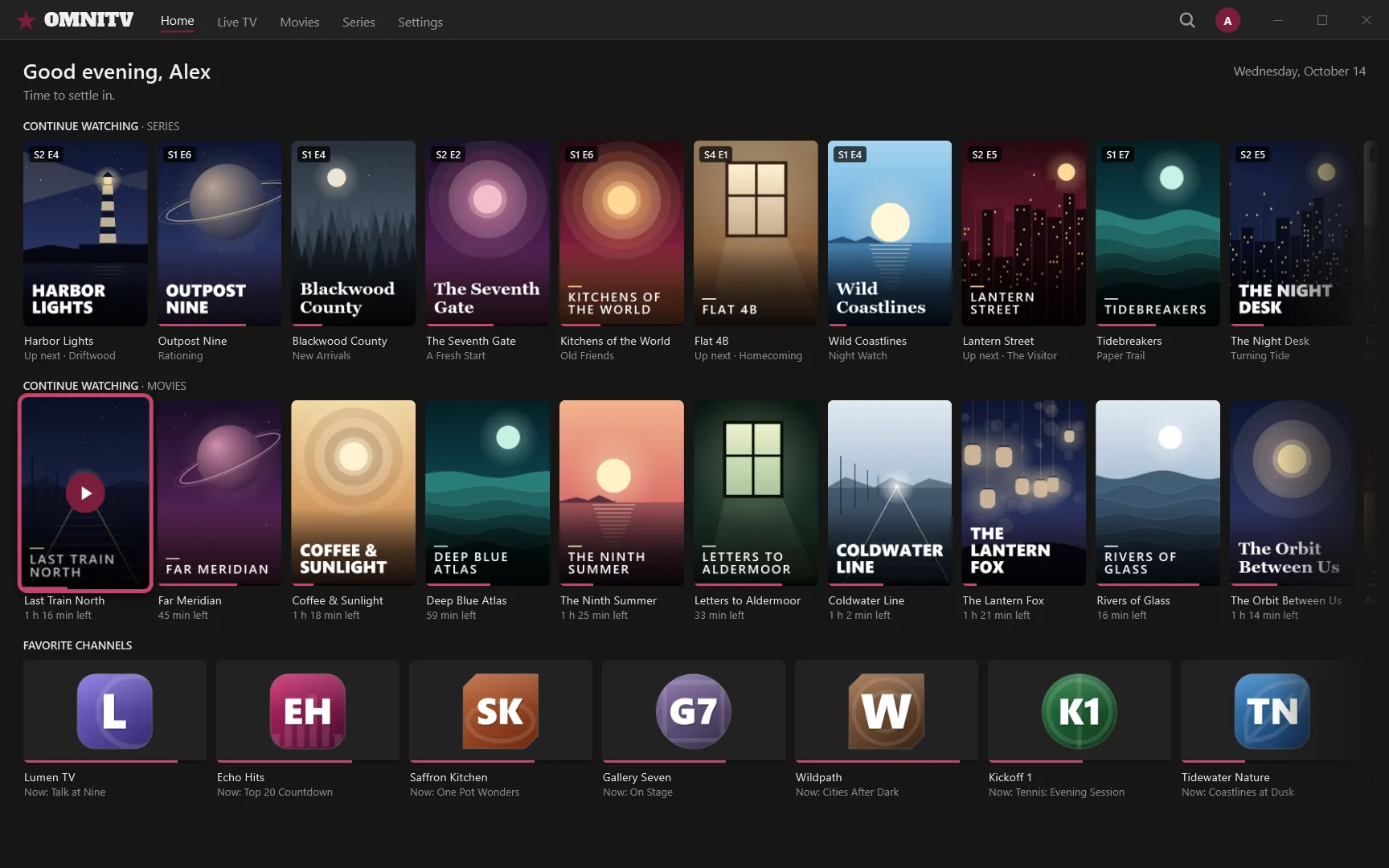
Series and movies you've started wait on the Home screen with their progress and the time left. Finish an episode and its series stays there with the next one (“Up next”); finished movies and completed series drop out by themselves.
Next episode plays by itself
When an episode ends, the next one starts. You can turn this off in Settings → Playback.
Home, favorites and search
What you were watching and what you like, one click away.
Home screen
The first screen after you pick your profile: a greeting for the time of day, Continue Watching for series and movies, and your favorite channels with what's on now.
Favorites for everything
Star channels, movies, series and categories. Favorites belong to your profile, and a starred category moves to the top of its list.
One search
Search channels, movies and series from one place.
Profiles, Guest and parental PIN
One OMNITV for everyone at home, and for visitors.
Profiles
Everyone who watches gets their own profile, with a name, a color, and their own favorites and history.
Guest profile
For using someone else's playlist: OMNITV doesn't save a Guest's playlist login, favorites, viewing history or channel list.
Parental PIN
A PIN of 4 to 8 digits locks the categories you choose. They're hidden from lists, search, Home and favorites, and ask for the PIN when opened.
Keyboard, remote and your look
Made for the keyboard and the remote, in your language and your color.
Keyboard and remote
Everything works with the arrow keys and Enter. Remote & D-Pad mode draws large focus outlines that are easy to see from across the room.
Your own key bindings
Choose the keys for 11 actions, such as play/pause, back, search, full screen and next or previous channel, in Settings → Controls.
Seven languages
English, German, Turkish, Spanish, French, Italian and Portuguese (Brazil). OMNITV follows your Windows language until you pick one, and switches right away.
Your accent color
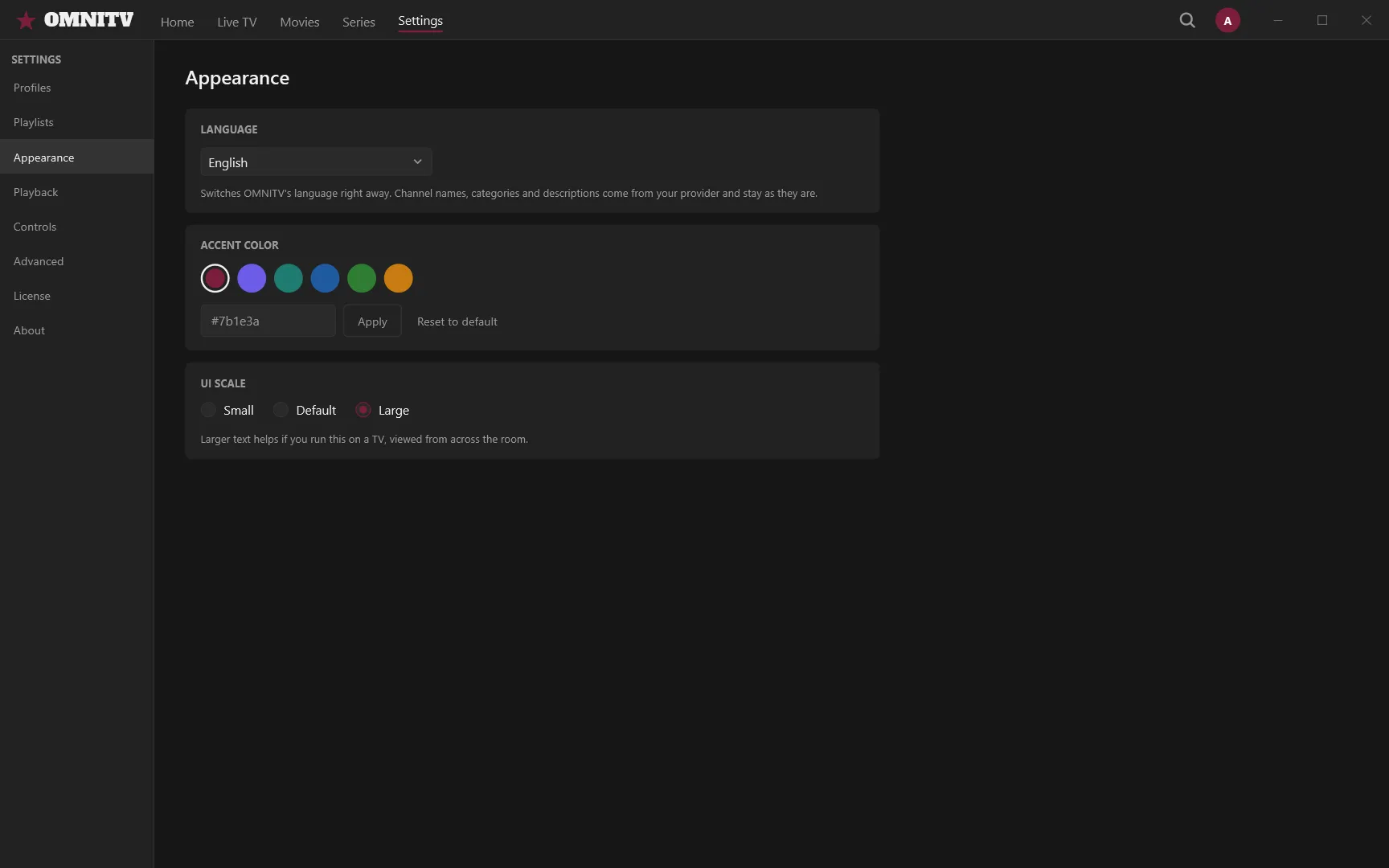
Six preset colors or any color you like, and Reset to default. The whole app follows, logo included.
Three UI sizes
Small, Default or Large, so OMNITV stays readable on a monitor or on a TV across the room.
Made for the remote
Switch on Remote & D-Pad mode in Settings → Controls and the focused item gets a thick outline that's easy to see from across the room. Everything works with the arrow keys and Enter.
Make it yours
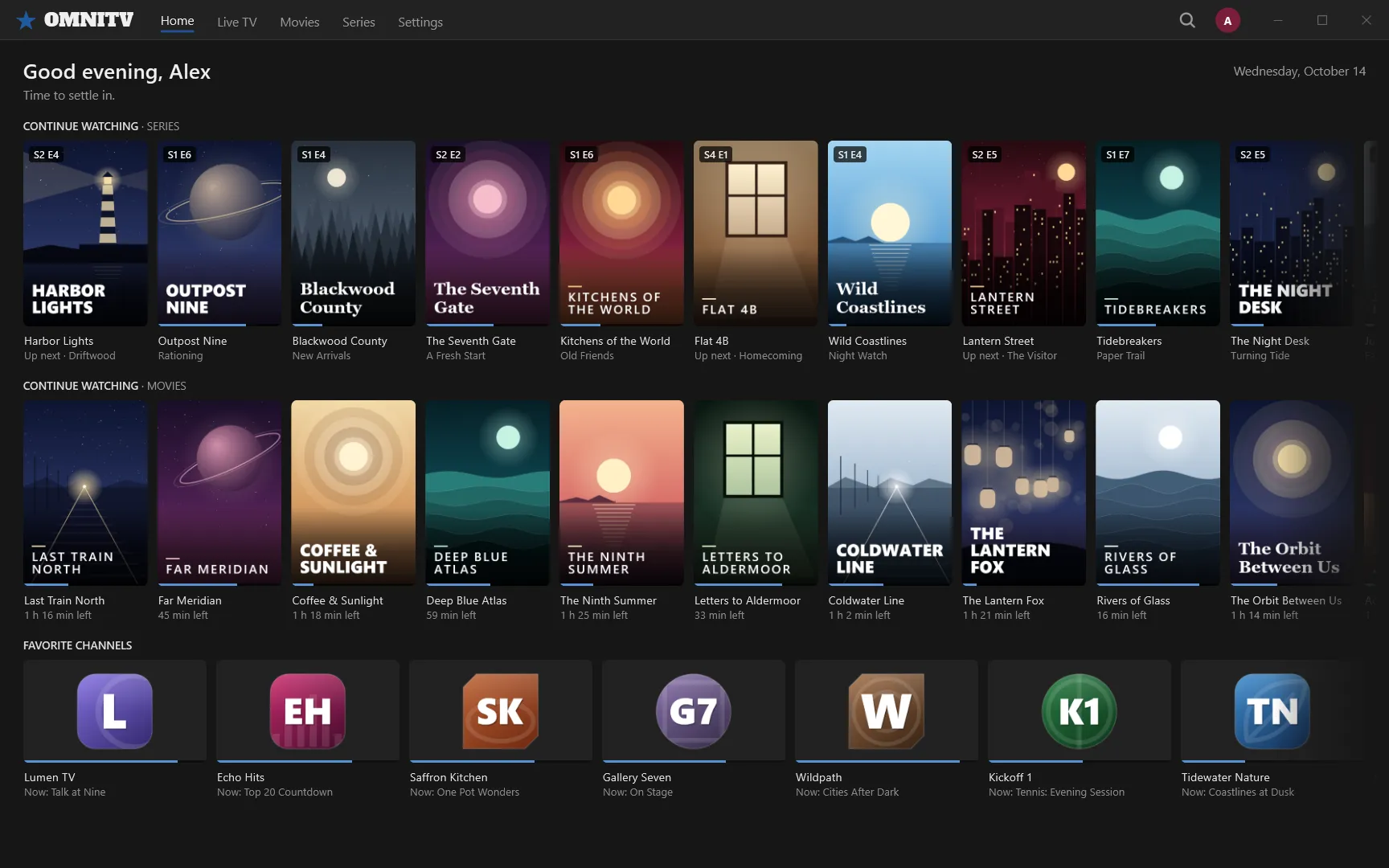
Pick one of six accent colors or any color you like in Settings → Appearance, and one of three UI sizes. The whole app follows the accent, logo included: here is the same Home screen in blue.
Playlists, reliability and help
Manage your playlists, keep watching when the connection drops, and get help when something goes wrong.
Several playlists
Save several playlists, then switch, refresh or remove them. OMNITV tests the connection before saving.
Playlist details
Your connection, with the password and links hidden until you reveal them; your Xtream account's status, expiry date and connections; and what OMNITV has stored for the playlist.
Offline catalog
Your channel list is saved on your PC, encrypted. If your provider can't be reached, OMNITV still shows the last saved catalog, with a notice.
Automatic reconnect
If a stream drops, OMNITV reconnects by itself, and movies continue where they stopped. If a stream won't start, it tells you why: connection limit reached, account expired or blocked, wrong login, or the stream itself.
Minimize to tray
If you like, closing the window keeps OMNITV in the system tray. Live playback stops while it's hidden.
Copy diagnostics and logs
Settings → About copies a diagnostics report for support, with passwords, links and names removed, and opens the logs folder.
Your logins stay protected
Playlist passwords and links are stored encrypted on your PC with Windows' data protection.
- Stored
- On your PC
- Protected by
- Windows' data protection
Privacy at a glance
An overview of how the OMNITV app works with your data. This is not the privacy policy, which hasn't been published yet.
No account
You don't sign up with us: OMNITV works without an account.
No telemetry or tracking
No usage statistics, no analytics, no advertising IDs.
Your data stays on your PC
Profiles, playlists, favorites, viewing history and settings are stored in your Windows user folder.
Encrypted by Windows
Playlist passwords and links, and the downloaded catalog, are encrypted with Windows' data protection.
Only your playlist's servers
The app connects only to the servers your playlist names: your provider, and the stream, guide and image servers in your playlist.
Logs for 7 days, never passwords
Logs on your PC are kept for 7 days and never contain passwords or playlist links. User names in your provider's links are removed too.
See what you need to get started
OMNITV runs on Windows 10 and 11 (64-bit) with your own playlist.